
How to Charge Mr Fog Switch Pod Without Charger — Complete Guide
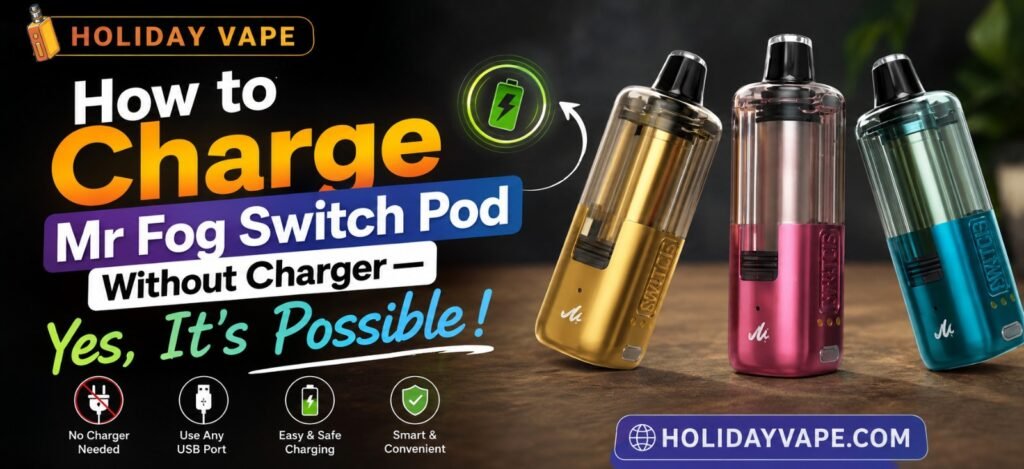
A dead pod and a missing cable is one of the more frustrating combinations in vaping — especially with a device this feature-heavy. The good news is, if you’re stuck without the official charger, you’re not necessarily stuck without power. Here’s what actually works, what to avoid, and why understanding the pod’s dual-battery system matters more than people realize in this exact situation.
Popular Flavors
Here’s the current flavor lineup, in case you’re restocking while you sort out your charging situation:
● Blue Raspberry Cherry Ice
● Blue Razz Blow Pop
● Blue Rancher Blow Pop
● Blueberry Raspberry Lemon
● California Cherry
● Coffee
● Grape Popup
● Miami Mint
● Mint Menthol Ice
● Peach Berry
● Peach Watermelon
● Pink Lemon Sour Blueberry
● Shaking Peach
● Strawberry Bubble Gang
● Strawberry Blow Pop
● Strawberry J
● Virginia Tobacco
● Watermelon Bubble Gang
Understanding the Two-Battery System First
Before troubleshooting a no-charger situation, it helps to understand exactly what you’re working with. The Mr Fog Switch Pod isn’t a single-battery device — it’s built around two separate power sources working together, which actually opens up more options than a simple one-battery disposable would.
Complete Specifications
| Specification | Details |
| Max Puffs | Up to 45,000 puffs (attached to main battery module) |
| Nicotine Strength | 5% (50mg) salt nicotine |
| Independent Pod Battery | 300mAh built-in (usable standalone when detached) |
| Main Battery Unit (Kit) | 1100mAh rechargeable |
| Total Combined Battery | 1400mAh |
| Design | Crystal-clear transparent tank for e-liquid monitoring |
| Power Modes | ECO (energy-saving), BOOST (balanced), TURBO (intense vapor) |
| Smart Feature | Memory Mode (retains last power setting even when detached) |
| Airflow | Adjustable bottom airflow ring |
| Operation | Draw-activated |
Option 1: Use the Main Battery Base Instead
If your pod’s 300mAh standalone battery has died but you still have the main 1100mAh battery base, you technically don’t need a charger at all right now. Simply attach the pod to the base — the combined 1400mAh system will power the pod directly without requiring you to charge the standalone pod battery first. This is the most reliable “no charger” workaround, since it doesn’t involve any improvised charging methods, just using the device the way the dual-module system was designed to be used.
Option 2: Borrow a Compatible USB-C Cable
The Switch Pod charges over standard USB-C — there’s no proprietary connector involved. If you’ve lost your original cable but have access to any other USB-C cable (from a phone, tablet, or another device), it will work. This isn’t really “charging without a charger” in the strictest sense, but it’s the fastest fix if the issue is a missing cable rather than a missing power source. Any wall adapter, laptop, or power bank with a USB-A or USB-C output can supply the power once you have a working cable.
Option 3: A Portable Power Bank as a Backup Source
If you’re away from a wall outlet entirely, a portable USB power bank paired with any USB-C cable can charge the pod just as effectively, just typically a bit slower depending on the power bank’s output. This is worth keeping in your bag specifically for situations like this — a dead pod away from home with no wall access.
What Doesn’t Actually Work (and Why to Avoid It)
A few workarounds that circulate online are worth avoiding entirely:
● Forcing open the sealed pod to access internal contacts directly — this risks damaging the coil or battery and can create a genuine safety hazard.
● Using a non-USB-C charging cable with an adapter of unknown quality — mismatched voltage output can damage the battery over repeated use.
● Leaving the device connected to any power source overnight “just in case” — this doesn’t speed up charging and isn’t good for long-term battery health, whether you’re using the original charger or an alternative.
How Memory Mode Helps in a No-Charger Situation
One underrated advantage here: Memory Mode means you don’t lose your preferred power setting while troubleshooting a charging issue. Whether you end up using the main battery base, a borrowed cable, or a power bank, the pod will resume on whatever ECO, BOOST, or TURBO setting you last had selected — so getting back up and running doesn’t mean reconfiguring your preferences from scratch on top of everything else.
Step-by-Step: What to Try First
1. Check whether you still have the main 1100mAh battery base — if so, attach the pod to it and skip charging entirely for now.
2. If the base isn’t available or is also dead, look for any USB-C cable you already own, since the connector is standard, not proprietary.
3. Pair that cable with any USB-C or USB-A power source — a wall adapter, laptop port, or power bank will all work.
4. Avoid leaving it connected longer than necessary once it reaches a full charge.
5. Resume vaping — Memory Mode will automatically restore your last power setting.
When You Genuinely Need a Replacement Charger
If none of the above apply — no base, no spare USB-C cable, no power bank — the most reliable long-term fix is simply picking up a standard USB-C charging cable, which is widely available and inexpensive. Given how common USB-C has become, this is usually a same-day fix rather than a real obstacle.
Frequently Asked Questions
Can I actually charge the Mr Fog Switch Pod without any charger at all?
Not without some form of USB-C cable and power source, but you have more flexibility than you might expect — any USB-C cable works, not just the original one, and attaching the pod to the main battery base can bypass the need to charge the standalone pod battery entirely.
What if I don’t have the main battery base or a spare cable?
In that case, you’ll need to source a standard USB-C cable, which is widely available and works with wall adapters, laptops, or power banks.
Is it safe to use any USB-C cable, or does it need to be original?
Any properly functioning USB-C cable is safe to use — there’s no proprietary connector on this device, so a borrowed or third-party cable works fine.
Does using the main battery base actually charge the pod?
Not exactly — it powers the pod directly through the combined 1400mAh system rather than charging the pod’s internal 300mAh battery, letting you keep vaping without needing to charge first.
Will I lose my power mode setting if I have to troubleshoot charging?
No, Memory Mode retains your last selected ECO, BOOST, or TURBO setting regardless of how you get the device powered back up.
Is it dangerous to try charging with a non-standard cable or adapter?
It can be, particularly with mismatched voltage output. Stick to standard USB-C cables and normal power sources (wall adapters, laptops, power banks) rather than improvised solutions.
How long does charging typically take once I have a working setup?
This varies based on the power source used, but a standard wall adapter and cable combination generally charges the pod efficiently without requiring an unusually long wait.
Final Thoughts
Being without your Mr Fog Switch Pod’s original charger isn’t the dead end it might feel like at first. Between the option to run the pod off the main 1100mAh battery base, the fact that any standard USB-C cable will work, and Memory Mode preserving your settings through the whole process, there’s almost always a way to get back up and running without waiting on a replacement cable to arrive. Keep these options in mind next time you’re caught without your charger — chances are, you already have what you need.